“Subscriber segmentation is the most effective email marketing campaign strategy.” (HubSpot, 2022)
Deliver Personalized Subscriber Experiences Using Mailchimp
How to utilize Mailchimp forms, groups, and segmentation coupled with the update profile and conditional merge tags to progressively profile subscribers.
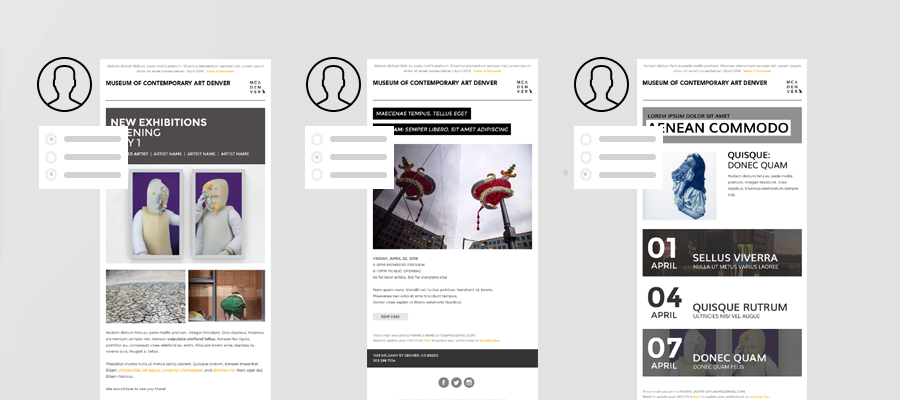
Recently, email industry experts, Litmus, posted a blog article, How To Use Progressive Profiling to Deliver Personalized Subscriber Experiences. What’s progressive profiling you may ask? It’s the practice of gathering information, over time, from your subscriber base allowing you to build a more complete profile of your subscribers and their particular needs and interests.
In this post, we’re going to focus on how to utilize Mailchimp forms, groups, and segmentation coupled with the update profile and conditional merge tags to progressively profile subscribers.
The Initial Collection
When initially collecting subscriber data it’s recommended to keep things short and sweet. Don’t overwhelm potential subscribers with a lengthy subscription form, rather, keep it simple increasing the likely hood that they’ll complete the subscription process. We recommend starting with a first name and email address at the minimum. You’ll build their subscriber profile from there, over time, through carefully crafted email campaigns.
Difficulty Level: Easy
Add a simple sign up form to your website, social media profiles, etc. to collect initial subscriber data. Stick with the basics such as first name and email address. You can achieve this by hiding other, non-essential, list fields in your signup form.
Basic Personalization Of Your Campaigns
Using the initial subscriber data available to you begin personalizing your campaigns. This includes your emails “to” field, preheader area, footer, etc.
Difficulty Level: Easy
Include the recipient’s name in your campaigns using merge tags to make it more personal and help avoid spam filters. For example, *|FNAME|* *|LNAME|* will show “To: Bob Smith” in the email instead of “To: bob@example.com”. This is more personal and may help avoid spam filters.
The Update Profile Merge Tag
If you haven’t already you’ll want to update your company or agency’s Mailchimp template(s) to include a link (or several) to allow subscribers to “update their profile”. This key link not only allows subscribers to update their email address in the event it changes, they change companies, etc. but it also allows them to edit their other profile information such as their contact details and most importantly their interests.
Difficulty Level: Moderate
Add the *|UPDATE_PROFILE|* merge tag to your template(s), which will be replaced with a link to the Update Profile Form after your campaign is sent. The Update Profile link is unique to each subscriber and campaign.
Building Your Advanced Sign Up Form
Based on your company or organization’s marketing strategy you’ll need to build a framework for the type of data you’d like to collect. This will then allow you to target specific subscribers who meet that criteria via segmentation. If you are a real estate agent this may entail collecting data on potential property types or locations a home buyer may be in the market for. Therefore allowing you to target those home buyers with only properties that meet their criteria.
Difficulty Level: Moderate
Collect and sort your subscribers into custom groups based on their interests and preferences. Groups function like categories in a list and are an excellent way to manage diverse subscriber profiles in the same Mailchimp list. Groups can be the basis for building list segments for sending to targeted audiences.
Building Subscriber Profiles
Now that you have built your initial subscriber profile and have begun personalizing your campaigns based on the limited data available it’s time to begin collecting additional data. You’ll do this by sending a series of targeted campaigns to your subscribers encouraging them to update their subscriber profiles. The benefit to your subscribers is that they’ll receive more targeted, relevant emails delivered to their inbox. Meaning once they provide just a little more information their experience, and future content will be tailored to their tastes and preferences.
Be creative in your use of the update profile link. While a standard update your profile or preferences link is suitable, and recommended, you should also weave the profile link into your campaign content organically as often as possible. Follow up a listing of properties with an “Update your preferences or profile to see more properties like this” statement or something similar which links to the update profile link.
In addition to the update profile form, you have the ability to further collect passive data on your subscribers via third-party integrations. Information such as products purchased, last order date, and more can be passed to your list and subsequent subscriber profiles by integrating your website, shopping cart, or contact manager with your Mailchimp list. This allows you to further drill down, sending more targeted campaigns based on a combination of volunteered and organically collected data.
Difficulty Level: Moderate
Begin building more detailed subscriber profiles through a combination of subscriber volunteered information and organically collected data.
Targeting Subscribers Using Conditional Merge Tags
To continue with the real estate scenario, let’s say you’re a realtor who sends out weekly emails to potential home buyers containing properties currently on the market. You’ve collected subscriber data and segmented that data based on how you plan to market to those subscribers.
In addition to their basic contact information, you’ve broken your subscribers down into groups based on their “interests”. For example, you have one grouping that separates home buyers based on the type of home they are looking for (multi-family, single home, townhome, condo, etc.). Another grouping includes neighborhoods they are interested in.
This is where targeting subscribers via conditional merge tags come into play. Using conditional merge tag statements you can show condos in Greenville to only those subscribers interested in condos in Greenville. Alternatively, you can show multi-family AND single home listings in Acme, Greenville, and Leadville to subscribers expressing interest in any or all of those “interests” or groupings.
Difficulty Level: Advanced
Incorporate conditional merge tag statements into your template(s). To show unique content to subscribers with different profiles, you’ll need to create multiple versions of your content to display, then use conditional merge tag blocks in your templates/campaigns that reference the subscriber data stored in your list.
Need Some Help?
Hire one of our Mailchimp experts to help you complete any, or all, of the recommended steps above to begin progressively profiling subscribers today!