
Does your template need to restack multi column content

into a single column in mobile environments?

Yes, I’m looking for a responsive design!

We recommend selecting
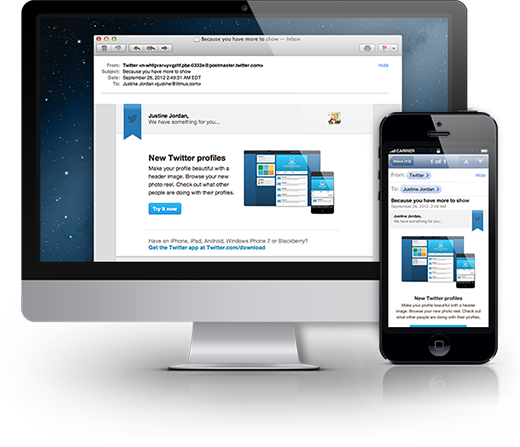
  • Mobile Responsive Integration
    Included

No, I’d prefer my design to be mobile friendly and scale rather than restack multi column content.

We recommend selecting

  • Mobile Friendly or "Scalable" Integration
    Included

A Warning About Responsive Integration

Understanding how different email clients support various features is one of the best ways to help ensure that your email campaigns render correctly across various applications. Especially when it comes to mobile emails, knowing how different mobile applications handle emails is key.

Would you like the ability to control your template’s styling in the Mailchimp editor?

By styling we mean font family, size, line height, color, link styling, background colors/imagery, and more.

Yes, I want full control over my template’s styling!

No need to add anything special to your package!

Our templates are programmed to work with Mailchimp’s Design Inspector allowing anyone to adjust colors, fonts, and more without breaking your custom layout and without having to mess with the code.

No thanks, I prefer to have my template’s styling locked in.

We recommend upgrading to

  • Bulletproofing/Inline Styling
    $100
    “Inlining” styles moves the CSS and associated formatting instructions from the style block in the < head > of your email into the body of the HTML. 

Wait, I need my template inline styled!

You’ll want to choose

  • Bulletproofing/Inline Styling
    $100
    “Inlining” styles moves the CSS and associated formatting instructions from the style block in the < head > of your email into the body of the HTML. 

A Warning About Bulletproofing or Inline Styling

It’s important to understand how inline styling or bulletproofing will impact your ability to edit certain aspects of your template’s content. If you require the ability to update font sizes, headline colors, call to action colors, and more we do not recommend choosing this option. This option should only be selected if there is a particular reason why inline styling must be used, such as when sending transactional emails through Mandrill.

Will you be utilizing your template to send RSS driven content?

By RSS driven we mean content is automatically pushed to your Mailchimp template via an RSS feed.

No, I’m not utilizing any sort of content feed in my campaigns.

No need to add anything special to your package!

Yes, I plan on pushing RSS driven content from my site, blog, or other source to my campaigns.

With RSS-to-email, you can publish your content once and send it to your email subscribers without even thinking about it. Our team will work with you to pull in the specific content you wish to publish via email allowing you to set it and forget it.

We recommend adding

  • RSS Feed Integration
    $100

A Note About RSS Feed Integration

Keep in mind that including RSS fed content in your template may require you to make changes to your existing feed output or create a new RSS feed specifically for use with Mailchimp generated campaigns (recommended).

Does your template need to accept large high density/retina display imagery?

And look good in platforms such as Outlook?

No, I plan on uploading standard size imagery to my campaigns.

No need to add anything special to your package!

Yes, we plan on incoporating large high density optimized imagery in our campaigns.

Do you accept this optimization makes editing imagery slightly more difficult?

By more difficult, we mean, that you’ll need to swap out imagery utilizing the URL versus being able to simply click edit, and then upload your new imagery.

No, I would prefer not to have to edit my imagery via the URL when creating campaigns.

We understand and therefore would not recommend adding high density optimization to your package at this time.

Yes, utilizing high density imagery outweighs the extra effort required to edit the imagery URL.

We recommend upgrading to

Are you new to Mailchimp or template’s using variant selectors?

Variant selection templates are different than the standard Mailchimp drag and drop templates.

Yes, I’m new to Mailchimp or variant selectors.

We recommend choosing either

No, I’m comfortable with variant selectors and custom advanced templates.

No need to add training to your package selection then!